Manual entry and working time, straight from your phone
VYS Mobile Tacho is the app your drivers use to record their working time while the driver card is not in the tachograph, and to enter that time into the tachograph afterwards without mistakes. For every driver, and especially handy for anyone who does other work in between: installing, crane work, building up or assembling. No long series of steps through a complicated menu on a two-line display, but one clear screen on the phone. Meanwhile the app watches the working time, switches the counter to a break by itself after six hours of work, and fills in the open period automatically on a VDO tachograph once the card goes in.
- For every driver, and especially handy with other work in between, such as installation, crane work and build-up
- Completely hands-free: from card in to ejecting, no need to operate the tachograph itself
- Manual entry from the phone instead of with the buttons on the tachograph
- Recording working time with rest, other work and availability, with the place with it
- Working time monitoring under the Working Hours Decree for transport
- A warning at 5:45 hours and automatically to a break after six hours of work
- Automatic entry into VDO tachographs, with the country code automatically from GPS
- History of every entry: accepted, refused or not sent
- For Apple (iPhone) and Android, in eighteen languages
- Available separately, or as part of the complete VYS Tacho concept
- European patent applied for (EU patent pending)
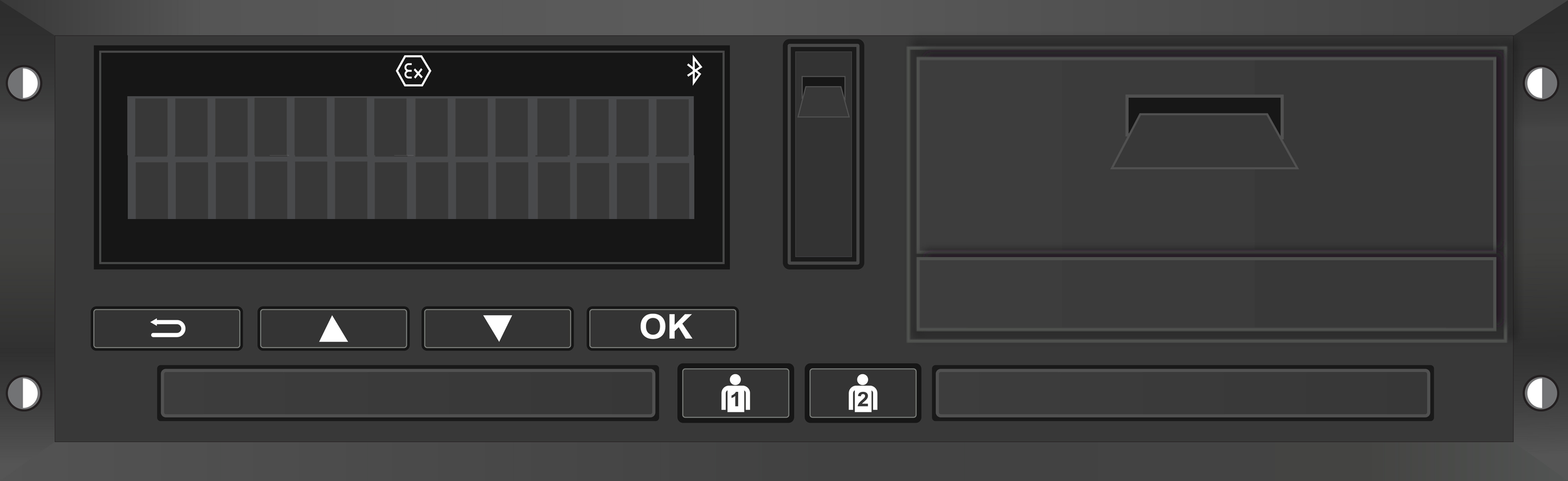
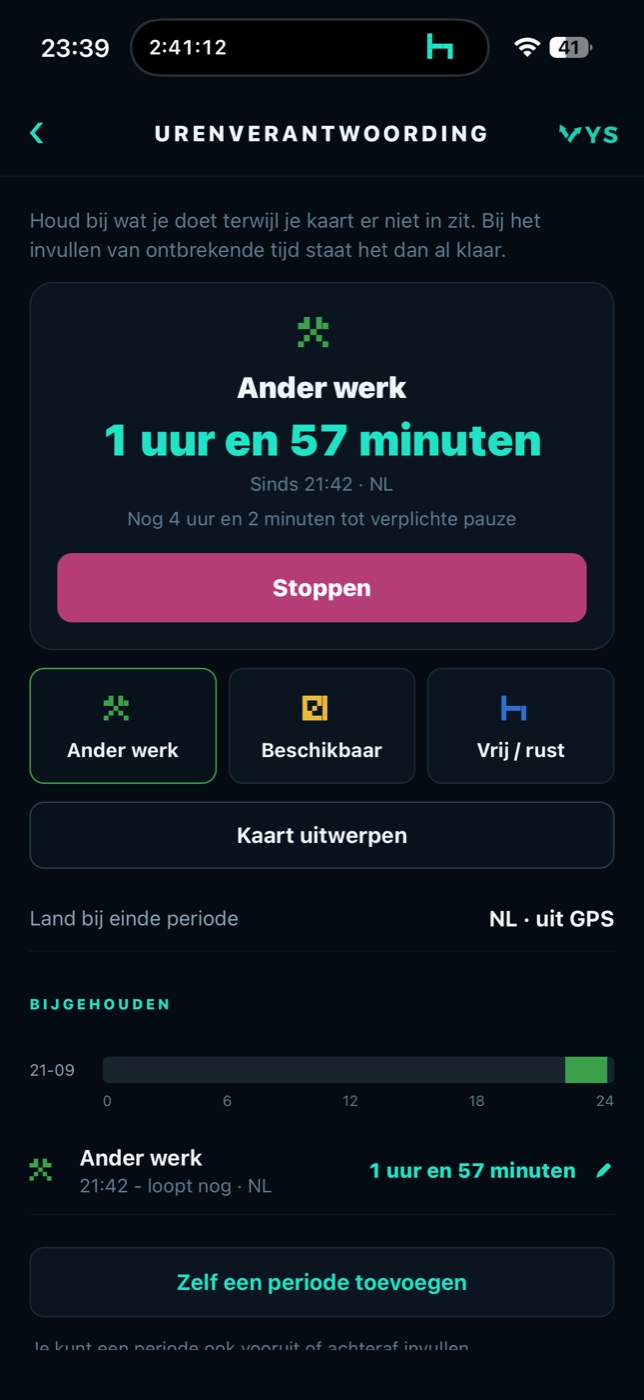
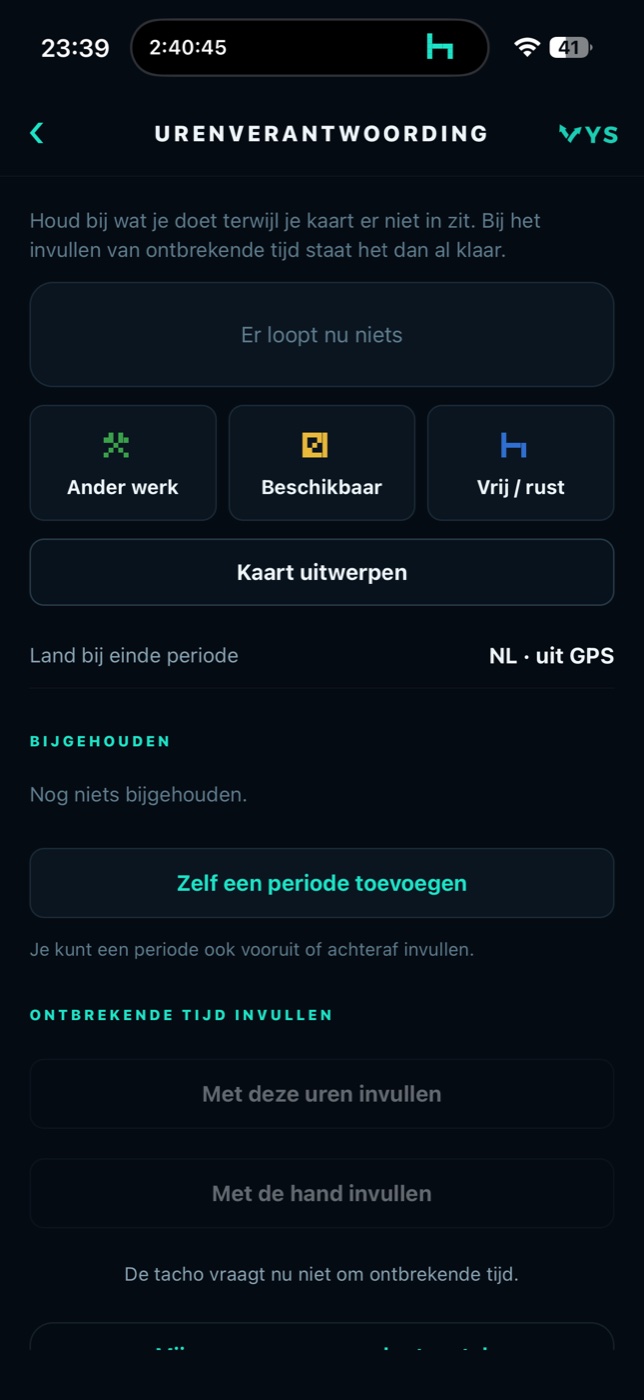
For every driver, and especially handy if you do more than drive
VYS Mobile Tacho is there for every driver with a VDO tachograph: anyone who takes the card out of the tachograph has to account for that time afterwards, and the app makes that easier and error-free. One group stands out though: people with a tachograph in the vehicle who also do other work in between. The engineer working on site all day, the crane operator lifting on a building site, the fitter putting up a stand or a marquee. Whoever drives all day leaves the card in the tachograph. Whoever gets out to work in between takes it out, and has to account for that time afterwards. Sometimes several times a day. An app that records what you do and then enters it into the tachograph for you saves a lot of hassle.
Installation and service
Driving to the customer, hours on site installing or repairing, and on to the next one. The work on site is other work; the drive there is recorded by the tachograph itself. The app records the work and enters it into the tachograph when the card goes in.
Crane work and machines
Taking the crane truck or the load to the building site, then lifting, waiting and packing up again. Lifting is other work; waiting for your turn is often availability. In the app that is one tap, and the working time counts along by itself.
Build-up, assembly and events
Taking material there, building up, taking down and driving back, often long days. The app warns you before you work six hours in a row, switches the counter to a break by itself, and makes sure no block of work that is too long ends up in the tachograph.
Every driver does it, almost every day, and that is exactly when it goes wrong
Anyone who takes the driver card out of the tachograph and puts it back in later has to account for the time in between: rest, other work or availability. On the tachograph itself that takes a good many steps through a complicated menu. At the start of the day, in a hurry or after a long drive, that is precisely the moment when a block ends up wrong or a confirmation is forgotten. And you only see it at a roadside check or in the analysis.
Fewer mistakes in the manual entry
The app fetches the open period from the tachograph itself and shows it in plain language: from when to when, and how many hours that is. The driver picks what he did and the app enters it into the tachograph. No arithmetic, no forgotten confirmation.
Working time under control
The Dutch Working Hours Decree for transport allows no more than six hours of work in a row without a break. The app counts along, warns a quarter of an hour in advance and switches the counter to a break by itself after six hours. That way no block of work that is too long ends up in the tachograph.
Saving time when the card goes in
If the driver has recorded his hours, the entry is ready as soon as the card goes in. On a VDO tachograph the app enters it automatically. All the driver has to do is drive off.
From card out to a tachograph that adds up
Recording
When the driver takes his card out, he records in the app what he is doing: rest, other work or availability. The app records the place and counts the working time.
Card in
When he puts the card back in, the tachograph asks for the missing time. The app fetches that period over Bluetooth and waits until the tachograph has read the card.
Entering
The recorded hours go into the tachograph automatically, with the country code from GPS where that is needed. Nothing recorded? Then the driver picks what he did for each block himself.
Checking
The history shows every entry, with what the tachograph did with it: accepted, refused or never arrived. Whatever did not go in can be sent again straight away.
Filling in the missing time without the tachograph menu
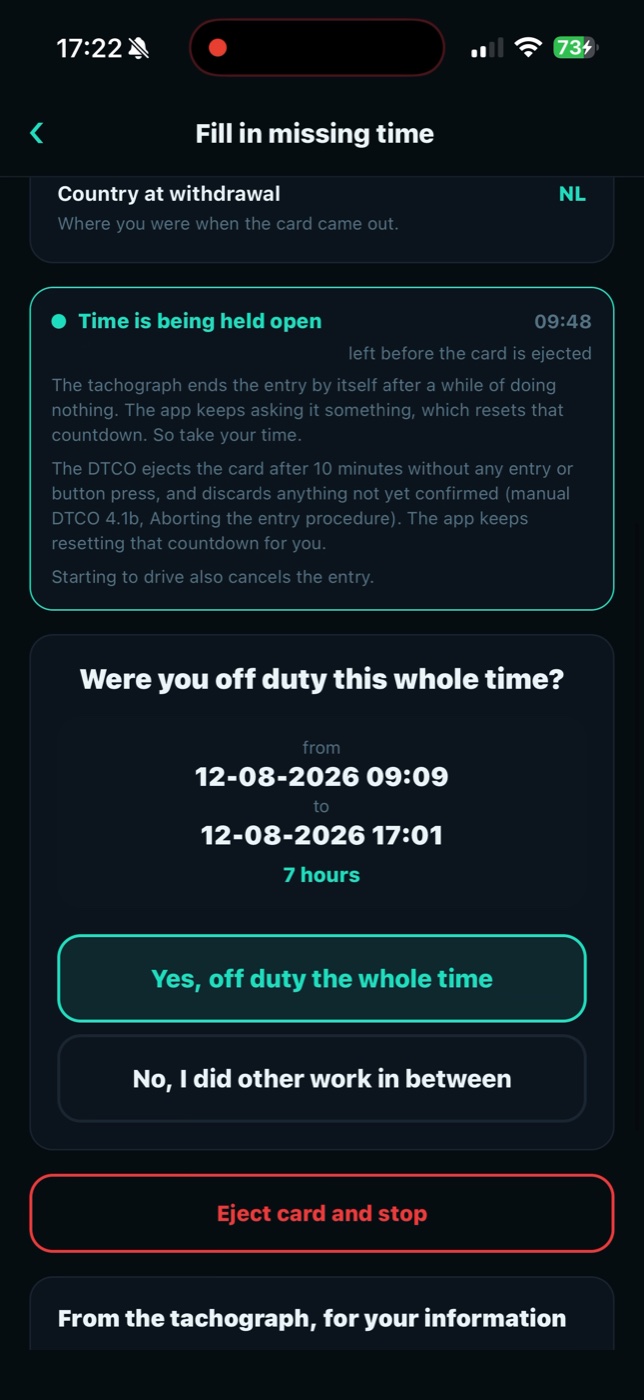
Right after the driver card goes in, the tachograph asks what the driver has done since the card came out. VYS Mobile Tacho reads that period straight from the tachograph and puts it on the screen. The driver taps what he did and the app writes it back to the tachograph. What the tachograph records stays decisive: the app only operates it faster and with fewer mistakes than the buttons do.
- The period in full from when to when the card was out, and how many days, hours and minutes that is, in plain language and not as a string of digits.
- Three choices off duty or rest, other work and availability. The legislator knows no other options, so neither do you.
- With your hours or by hand if the driver has recorded his hours, the app fills the period with them. If not, he picks what he did for each block himself.
- Gaps visible if part of it has not been recorded, the app asks about that separately, so not a minute stays unaccounted for.
- Country code automatically from GPS where the law asks for a country, at the end and the start of a shift, the app takes the country from the phone GPS and sends it along. The driver does not have to look up or enter a country.
- Waiting for the tachograph after the card goes in, the tachograph reads it first. The app waits with sending until that is done, so the entry really is recorded.
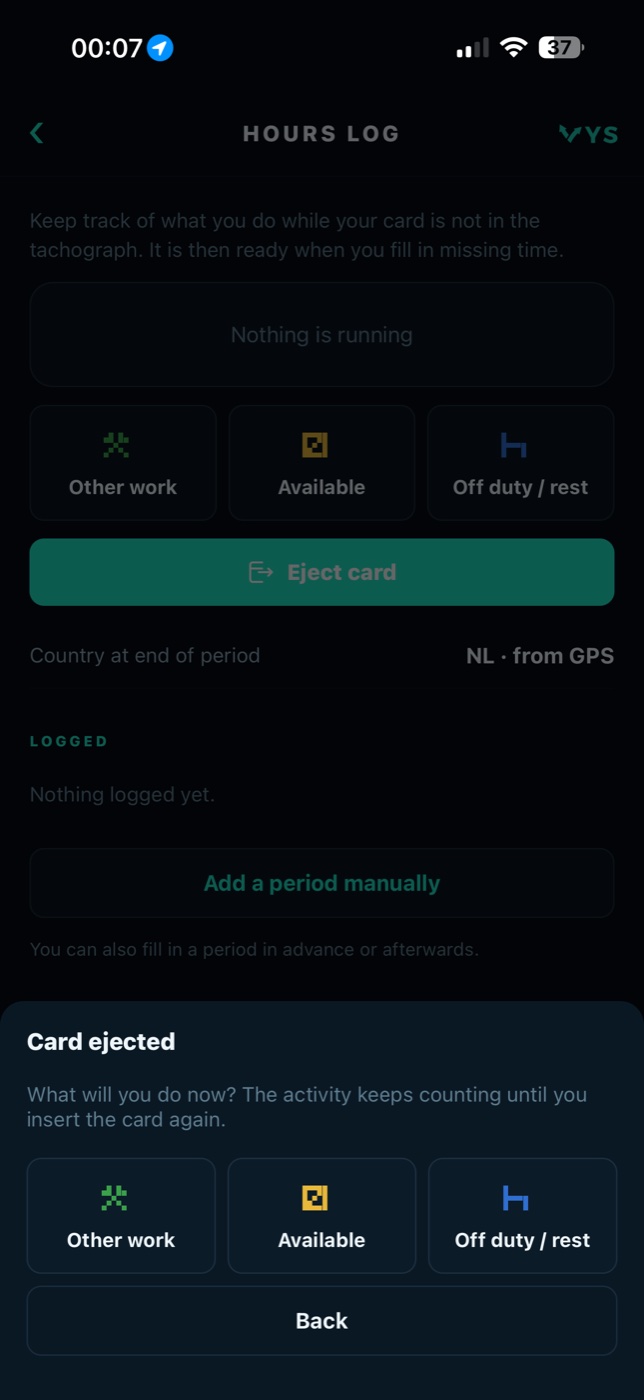
- Ejecting the card having the driver card ejected from the phone, with the question of what the driver is going to do next right after it.
- History of every entry: what was sent, whether it went automatically or by hand, and what the tachograph did with it.
A working time record that goes into the tachograph
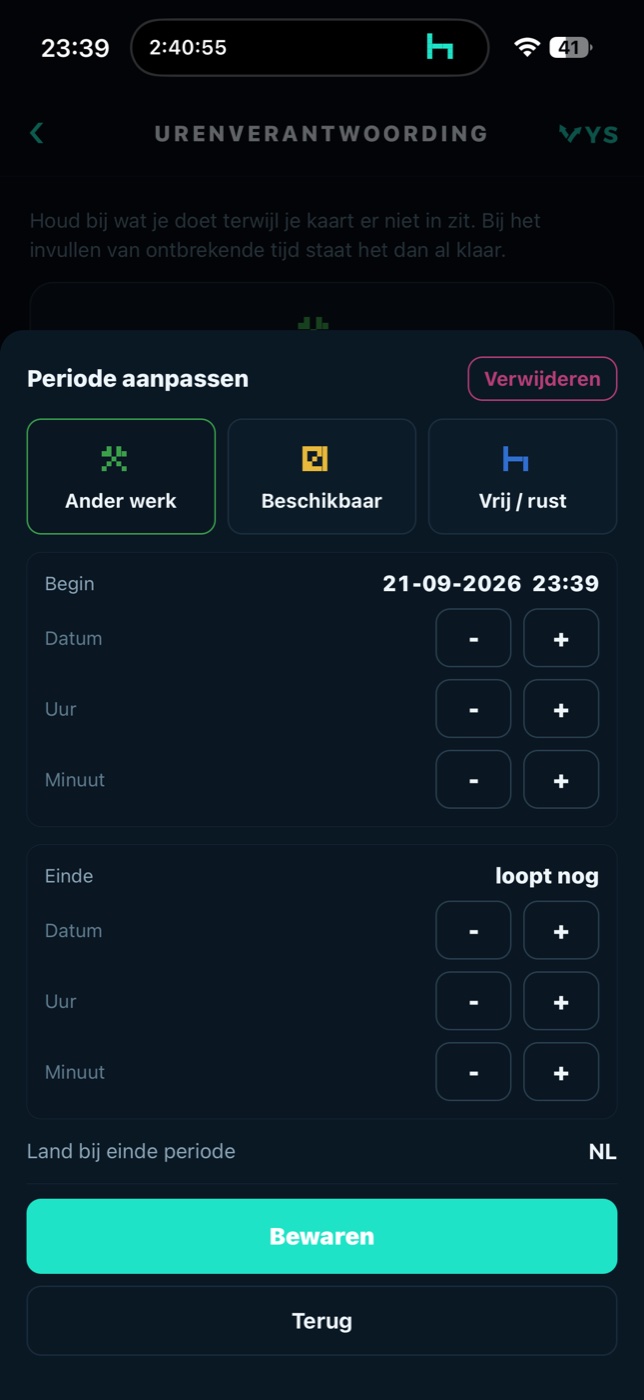
As soon as the card is out of the tachograph, the driver records in the app what he is doing. One tap on rest, other work or availability, and the counter runs. The app records the start and the end of every period, with the place from the phone GPS. At the next manual entry everything is ready.
- One tap per activity rest, other work or availability, and switching is just as quick. The running period is at the top, with how long it has been running.
- Place from GPS the start and the end of every period get a place, and the country at the end of the period is shown with it.
- Afterwards or in advance adding, changing or deleting a period yourself, also afterwards or in advance.
- Overview of the day all recorded periods below each other, with whatever is still running.
- Driving is recorded by the tachograph driving time is always recorded by the tachograph itself. The app records what happens outside the tachograph.
The app watches the break, even when the driver forgets
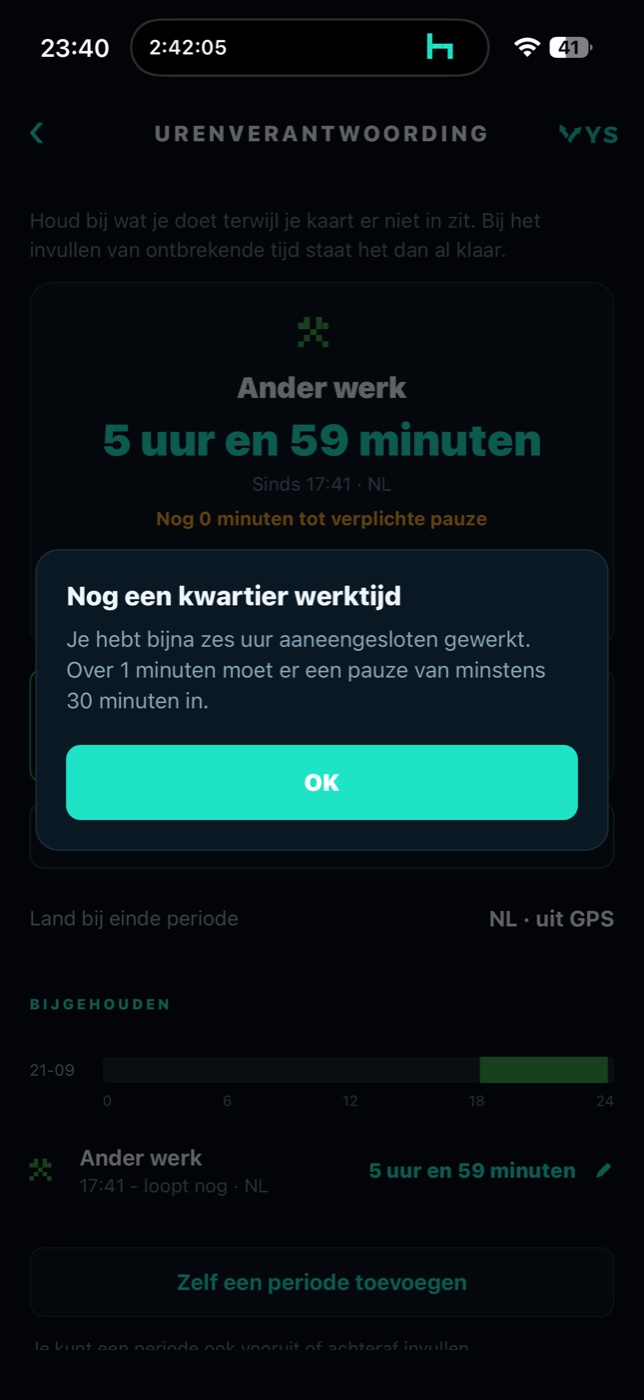
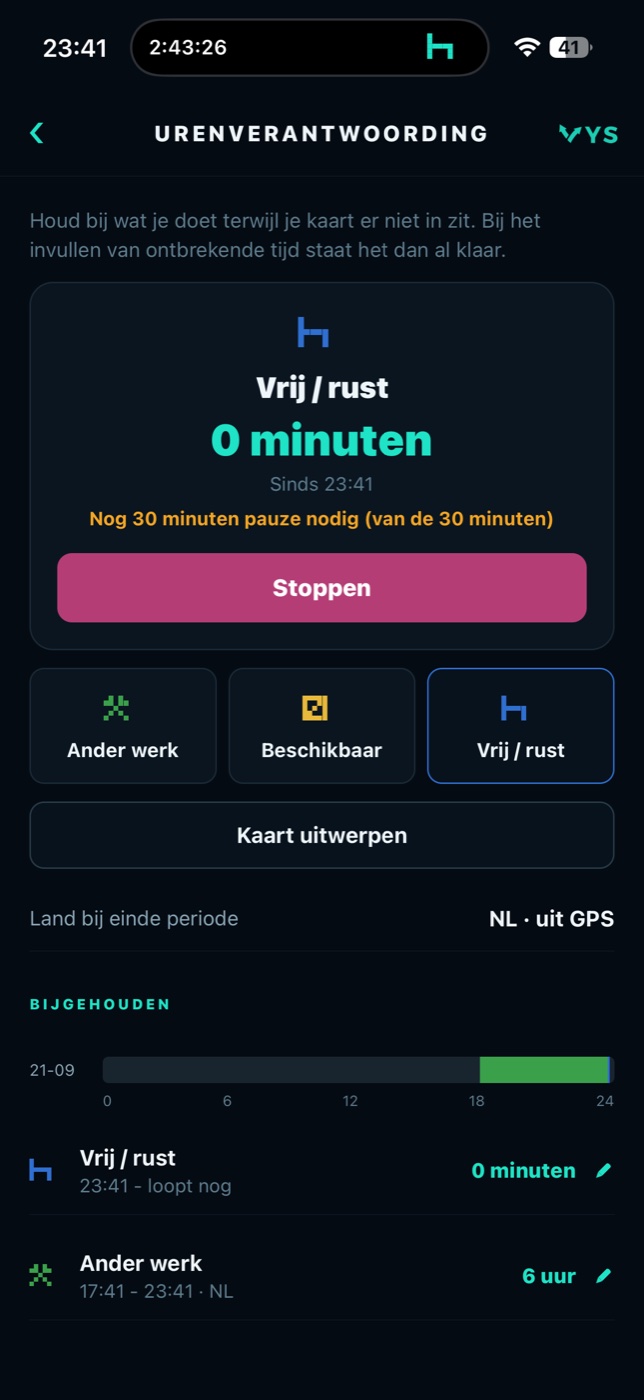
The Dutch Working Hours Decree for transport allows no more than six hours of work in a row without a break. The app counts that working time and shows how long it is until the compulsory break. A quarter of an hour before the limit there is a warning, and once the limit is reached the app switches the counter to rest by itself and back to work after the break. That way no block of work that is too long ends up in the manual entry.
- Counter to the break the app shows how long the driver may still work until the compulsory break.
- Warning at 5:45 after five and three quarter hours of uninterrupted work the driver gets a message that there is a quarter of an hour left.
- Automatically to a break after six hours of work the app switches the counter to rest by itself, and back to work after thirty minutes.
- The right break requirement with six to nine hours of work at least thirty minutes of break, with more than nine hours at least forty-five, and the app shows how much is still needed.
- The way the law counts an interruption only counts as a break from a quarter of an hour, and availability is not working time.
From card in to card out, without touching the tachograph
With VYS Mobile Tacho the tachograph can be operated completely hands-free. The driver puts his card in, and from that moment until ejecting it he no longer needs the buttons on the tachograph: virtually everything happens automatically or with a tap on the phone. If he has recorded his hours in the app, he does not have to do anything at all when the card goes in. The app sees that the tachograph is asking for the missing time, waits until the card has been read and enters the recorded periods automatically. That works on a VDO tachograph; not on a Stoneridge, because that one does not allow manual entry from a distance.
- No action needed the entry goes into the tachograph by itself as soon as it asks for it.
- With the country code the app determines the country with the phone GPS and sends it along automatically where that is needed.
- Ejecting from the phone at the end of the shift the app ejects the card, with the country from GPS with it. No walking through a menu on the tachograph.
- Checking afterwards the history shows for every entry whether it went automatically or by hand, and whether the tachograph accepted it.
- Closing a period if the driver stops his running period while the tachograph is already waiting for the entry, the app offers to put it in straight away.
- VDO only automatic entry works with the VDO DTCO smart tachograph with Bluetooth. The Stoneridge SE5000 is not supported.
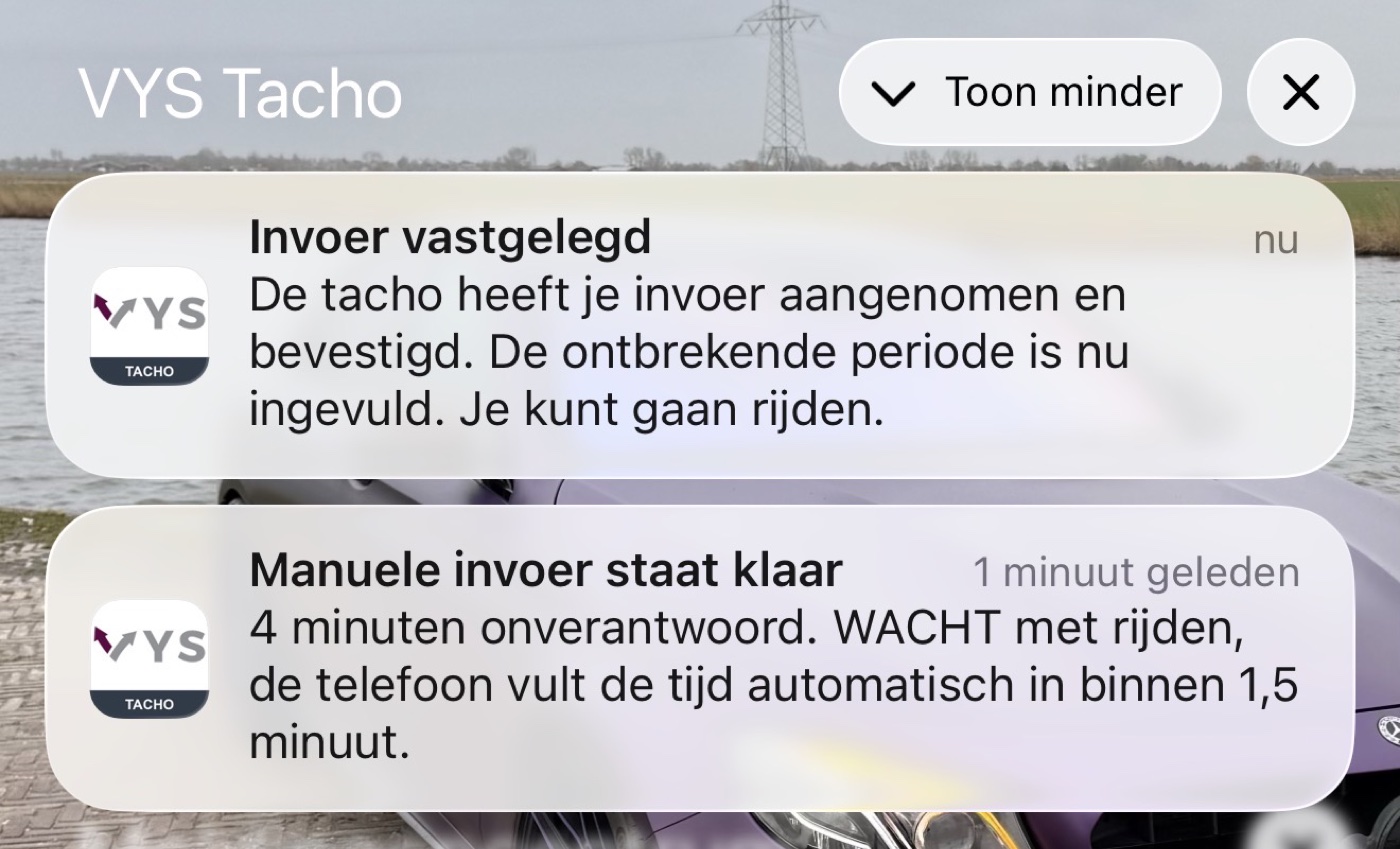
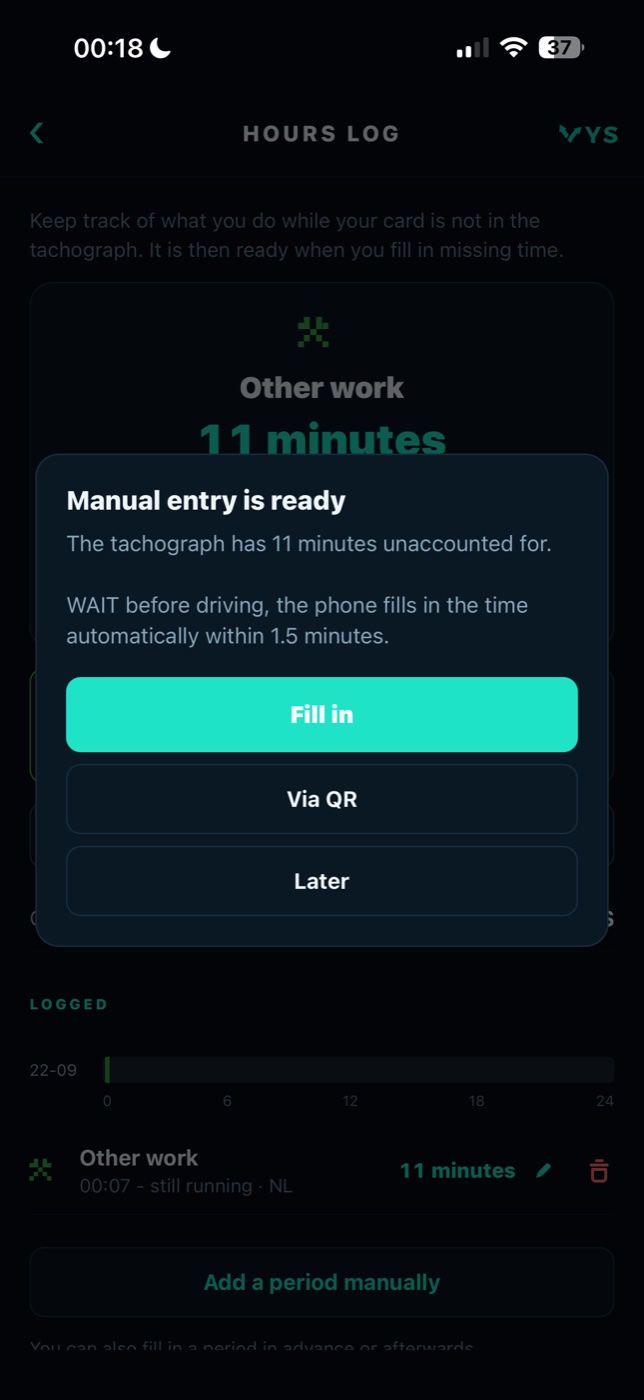
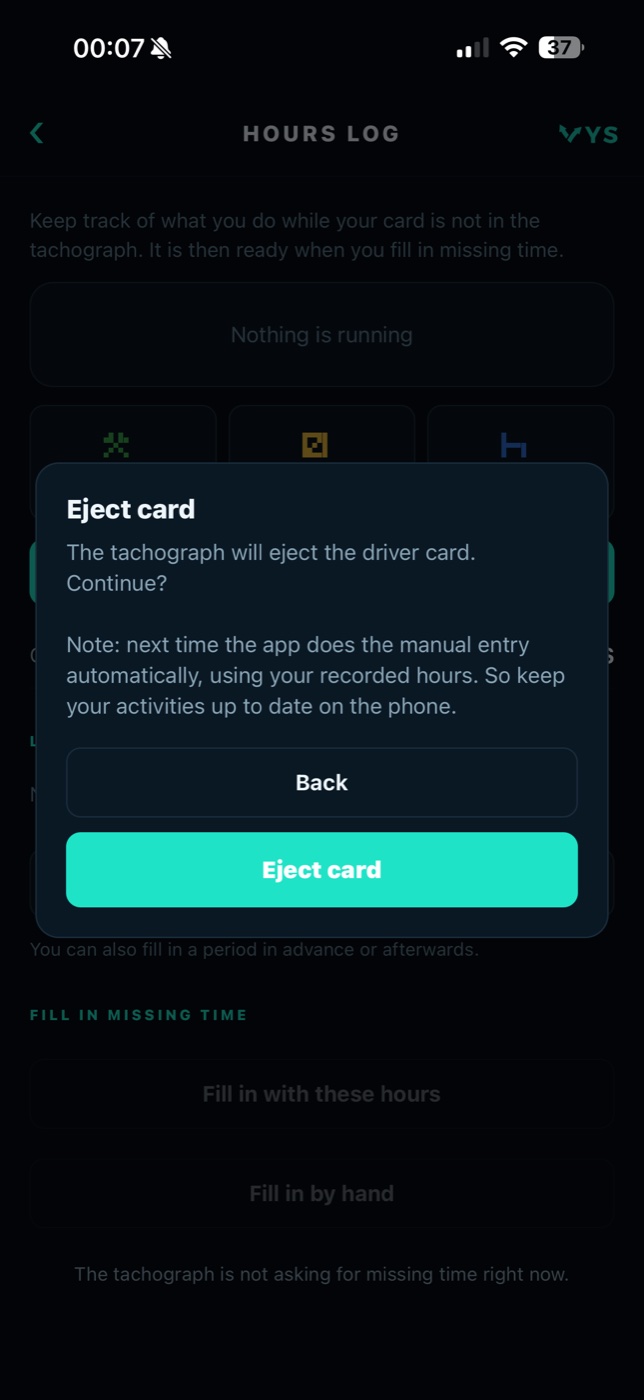
The manual entry goes by itself, even with the screen off
Two recordings of the same action on a VDO tachograph: the card goes in and the app enters the recorded time by itself. In the first you see on the screen what happens. In the second the phone is lying on the table with the screen off, and it goes exactly the same.
With the screen on
The card goes into the tachograph, the app sees that the missing time is being asked for, waits until the card has been read and sends the recorded periods with the country code with them. On the screen you see every step go by.
With the screen off
The same entry, but now the phone is lying on the table with a black screen. The driver puts his card in and drives off. There is nothing to touch, not on the phone and not on the tachograph.
Recorded with a VDO DTCO. On a Stoneridge SE5000 manual entry from a distance does not work; that tachograph does not allow it.
Is the driver in another vehicle? His hours come along
If there is a fixed phone in the vehicle connected to the tachograph, the driver does not have to type his hours again. The phone in the vehicle shows a QR code, the driver scans it with his own phone and sends his hours for exactly that period. The phone in the vehicle then enters them into the tachograph.
- One-off and safe the code is valid briefly and links the two phones for this transfer only.
- Exactly the right period the app cuts the driver hours to the period the tachograph has open, and reports it if not everything is covered.
- No remote operation only the hours go across. The driver phone gets no access to the tachograph or the vehicle.
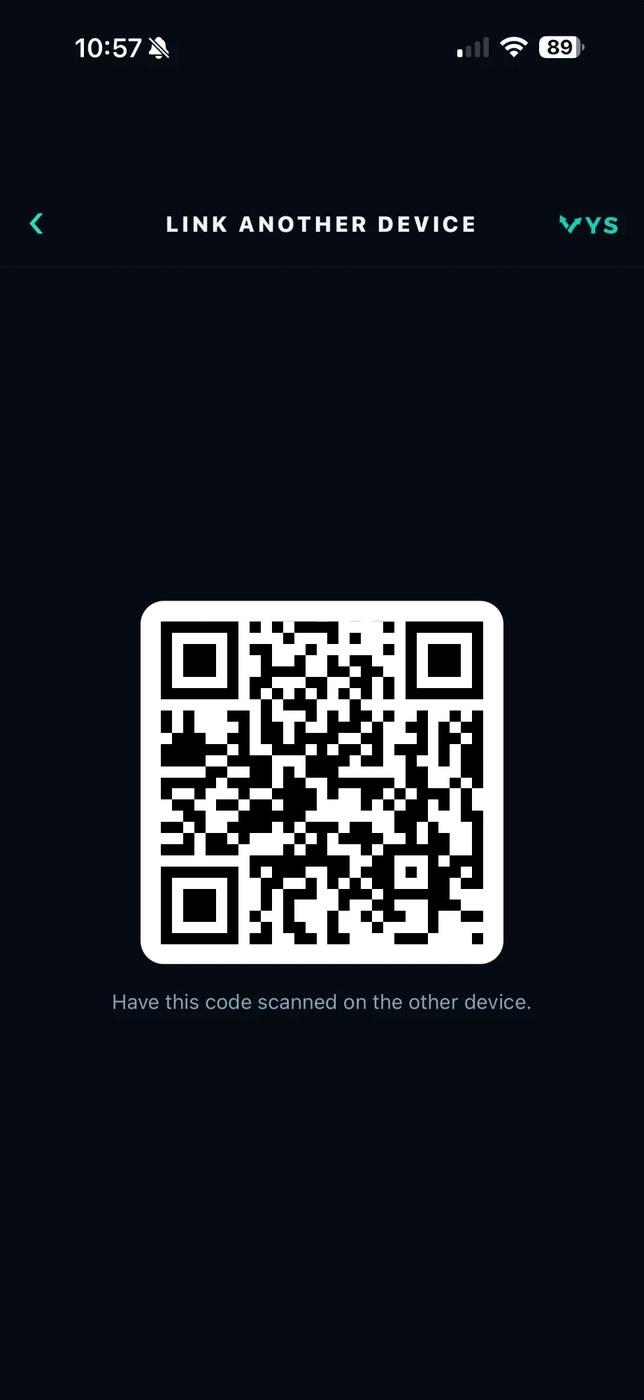
A VDO tachograph with Bluetooth and a phone
Manual entry from the phone works with the VDO DTCO smart tachograph with Bluetooth. The Stoneridge SE5000 does not allow manual entry from a distance, so this app does not work on it. We would rather say that beforehand than afterwards.
The tachograph
A VDO DTCO smart tachograph with Bluetooth. Remote control has to be switched on in the tachograph; that is a setting in the menu of the tachograph itself.
The phone
An iPhone or an Android phone. You pair once, with a guide in the app showing photos of the display. After that the app finds the tachograph by itself.
The driver card
The tachograph only allows manual entry right after the card goes in, when it asks for it itself. Once that moment has passed, the app says so and the card can go in again.
Start with the mobile tachograph, or take the whole concept
VYS Mobile Tacho is available separately for anyone who only wants to sort out manual entry and working time. The same mobile tachograph is also in the VYS Tacho app, as part of the complete concept for transport companies with a tachograph.
Available separately
The app for the driver, for iPhone and Android: manual entry from the phone, recording working time, working time monitoring with an automatic break and automatic entry into VDO tachographs.
Part of VYS Tacho
Everything from the mobile tachograph, plus live tachograph data with the remaining driving and rest time, operating the tachograph remotely, downloading the driver card and the vehicle unit, and the analysis of driving and rest times and infringements for the office.
One source for the office and the driver
With VYS Tacho the downloads and the analysis come together at the company, and the planner sees what the driver sees on the road. You can read more about the complete concept at www.vystacho.nl.
European patent applied for
The concept behind VYS Mobile Tacho, operating the tachograph and doing the manual entry from a phone, was developed by VYS Scheduling BV itself. A European patent has been applied for that concept (EU patent pending).
Everything in VYS Mobile Tacho at a glance
This is all in the app. If you also want live tachograph data, remote operation, downloads and analysis, you get those with VYS Tacho.
Manual entry
- Open period from the tachograph over Bluetooth
- The period in full, in plain language
- Rest, other work or availability
- Filling in with your recorded hours or by hand
- Parts not recorded asked separately
- Country code automatically from GPS, where needed
- Waits until the tachograph has read the card
- Ejecting the card from the phone
Keeping track of working time
- One tap on rest, other work or availability
- Running period with counter
- Place from the phone GPS
- Country at the end of the period
- Adding, changing or deleting a period
- Filling in afterwards or in advance too
- Overview of the day
Working hours
- Based on the Working Hours Decree for transport
- Counter to the compulsory break
- Warning at 5:45 hours
- Automatically to a break after six hours
- Back to work after thirty minutes
- Break requirement of 30 or 45 minutes
- An interruption counts from a quarter of an hour
- Availability is not work
Hands-free and automatic
- From card in to ejecting without operating the tachograph
- Recorded hours into the tachograph by themselves
- Ejecting the card with the country from GPS
- For VDO DTCO with Bluetooth only
- Putting the running period into the tachograph straight away
- History: automatic or by hand
- Accepted, refused or not sent
- Trying again if it did not work
Transferring hours
- QR code on the phone in the vehicle
- Scanning with your own phone
- Exactly the open period
- A message if not everything is covered
- Hours only, no remote operation
App and pairing
- For Apple (iPhone) and Android
- In eighteen languages
- Pairing with the tachograph once
- Pairing guide with photos of the display
- After that the app finds the tachograph by itself
- Separately or as part of VYS Tacho
Questions about VYS Mobile Tacho
Who is VYS Mobile Tacho for?
For every driver with a VDO tachograph, and for the company that wants the manual entry to be right and the working time to be watched. The app is especially handy for drivers who do other work in between: installers and service engineers, crane operators, build-up and assembly crews. They often take the card out of the tachograph several times a day and have to account for that time every time.
Does it work on a Stoneridge tachograph too?
No. The Stoneridge SE5000 does not allow manual entry from a distance. The app works with the VDO DTCO smart tachograph with Bluetooth.
Does the app replace the tachograph?
No. The tachograph stays decisive and records the driving time itself. The app records what happens while the card is not in it, and operates the tachograph during the manual entry faster and with fewer mistakes than the buttons do.
What happens after six hours of work?
The app warns a quarter of an hour in advance. Once the limit of six hours of uninterrupted work is reached, the app switches the counter to rest by itself, and back to work after thirty minutes. That way no block of work that is too long goes into the manual entry. This is about the counter in the app: the app does not operate the tachograph for it.
Does the driver still have to operate the tachograph?
Hardly. He puts his card in, and from that moment until ejecting it virtually everything happens automatically or from the phone: fetching the open period, the manual entry with the country code from GPS, and at the end of the shift the ejecting with the end country. The buttons on the tachograph are no longer needed for that. This works on a VDO tachograph.
Does the driver have to enter the country himself?
No. Where the law asks for a country, at the end and the start of a shift, the app determines the country with the phone GPS and sends it along automatically in the manual entry. Where no country is needed, none goes along.
How do I know the entry is in the tachograph?
The history shows for every entry what the tachograph did with it: accepted, refused or never arrived. Whatever did not go in can be sent again straight away.
Why does the app sometimes wait before sending?
Right after the card goes in, the tachograph reads it. An entry that comes in during that time is not always recorded. That is why the app waits until the tachograph is ready, and asks the driver not to leave before the entry has been completed.
Can a driver use his hours in another vehicle?
Yes. If there is a fixed phone in the vehicle connected to the tachograph, it shows a QR code. The driver scans it with his own phone and sends his hours for the open period. Only the hours go across; his phone gets no access to the tachograph.
What is the difference with VYS Tacho?
VYS Mobile Tacho is the mobile tachograph: manual entry, working time, working hours and automatic entry. VYS Tacho is the complete concept, with live tachograph data, remote operation, downloading the card and the vehicle unit and the analysis for the office on top of that. The mobile tachograph is part of it too.
Which phones does it work on?
On Apple (iPhone) and Android. The app is available in eighteen languages. You download it from the App Store or on Google Play.
What has been patented?
For the concept behind the app, operating the tachograph and doing the manual entry from a phone, a European patent has been applied for (EU patent pending).
The subjects that matter in practice
Would you like to see it work on your own tachograph?
We are happy to show VYS Mobile Tacho and to think along about using it with your drivers, separately or as part of VYS Tacho. Mail or call us, or fill in the contact form.